USB 3.0铝制显示器支架 无线充电电脑支架 黑色黑色 仅发法国

Monitor Screen Desk Support USB 3.0 Aluminum Alloy with Wireless Charging Pad for Mobile PhoneB


下载次数:  0

Item ID:   LS208508870-01-01
供应商SKU:   w12086887
可售平台:   aliexpress amazon ebay lazada other shopee wayfair wish
仓库地址:  
单价:   $分销商可见  
  • 颜色: 白色
  • 库存:
    0
  • 产品描述
产品尺寸 长: 60.00cm 宽: 24.00cm 高: 10.00cm 产品重量 2.040kg
包装尺寸 长: 60.00cm 宽: 24.00cm 高: 10.00cm 包装重量 2.040kg

USB 3.0铝制显示器支架 无线充电电脑支架 黑色黑色 仅发法国

  • Features

    Can withstand items weighing more than 27in/68.58cm 25KG. The panel is made of high‑quality aluminum alloy, and there is a professional reinforcement structure under the panel.

    Provide data transfer and charging functions, 4 USB 3.0 hub ports, convenient to connect USB devices and charge hard devices, mobile phones and other devices.

    Ergonomic design, this computer stand can improve the comfort of the monitor, provide a suitable screen viewing distance, reduce eye and neck fatigue, and improve a good posture, bringing greater comfort.

    Just place the phone on the charging pad and it will automatically start charging within a few seconds without any wires or other accessories.

    Increased the space for placing computer accessories. The line is no longer chaotic, to ensure fast charging, you should use a fast charging adapter instead of charging through a computer.

    Suitable for all wireless charging phones, including for Samsung phones. Other Qi‑enabled mobile phones will be charged.

  • Specification

    Item Type: Monitor Desk Support
    Material: Aluminum Alloy
    Bracket Size: Approx. 55 x 21 x 8cm/21.65 x 8.27 x 3.15in (Length x Width x Height)
    Bearing Weight: 25KG
    Wireless Charging Power: 10W
    Power Input: DC 5V
    The Total Length of USB Cable: Approx. 1.25m/1.38yd

  • How to Use

    1 Open the package and clear the accessories

    2. Install the supporting leg on the corresponding position of the supporting surface with screws (the leg with the USB interface should be installed on the side with wireless charger)

    3. The USB port of the wireless charger is connected to the position on the corresponding USB port on the support leg

    4. Use a USB cable to connect the USB input port on the support leg of the power supply to use

  • Package List

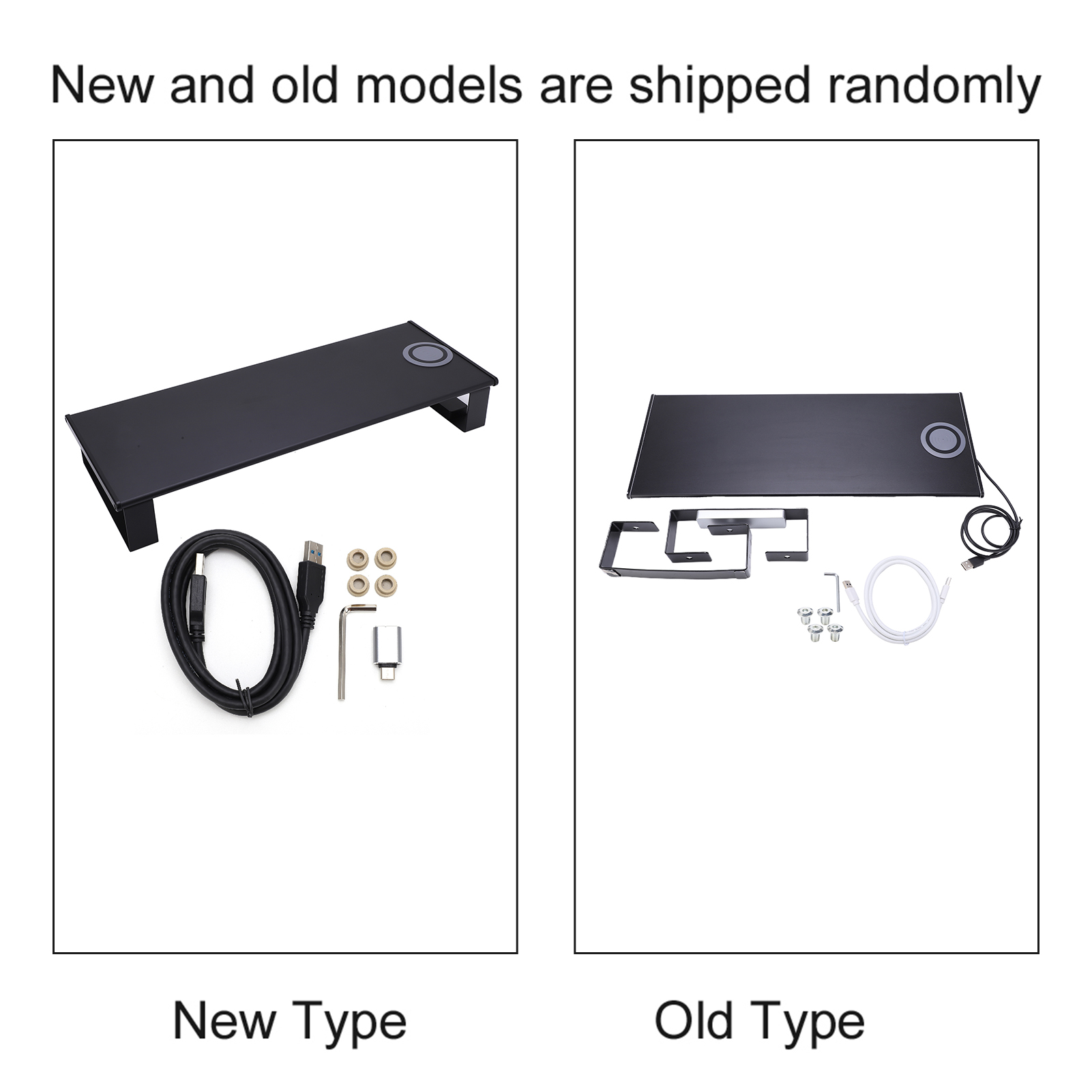
    1 x Support Mat

    2 x Support Leg (One Has a USB Interface)

    4 x Screw

    1 x Wrench

    1 x USB 3.0 Cable (Random Color of Black or White)

    1 x Instruction

  • Note

    Please note that the new type and old type of this product will be sent randomly, and make sure you will not mind before ordering.

USB 3.0铝制显示器支架 无线充电电脑支架 黑色黑色 仅发法国